Someone's reading over your shoulder. Not anymore.
GlanceGuard turns your webcam into a shoulder-surfing shield. The instant someone walks up behind you, every tab frosts over and mutes — before they can read a word.
From guarding to frosted in ~100 ms
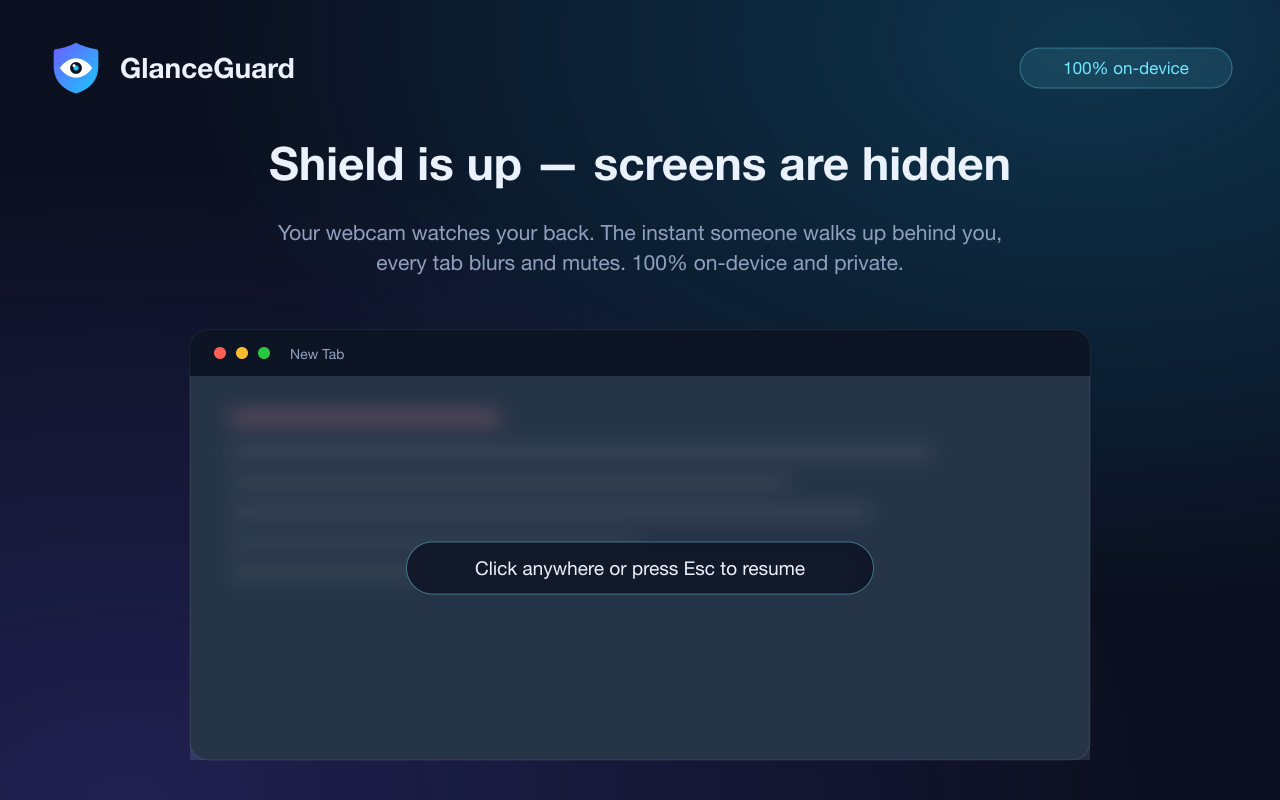
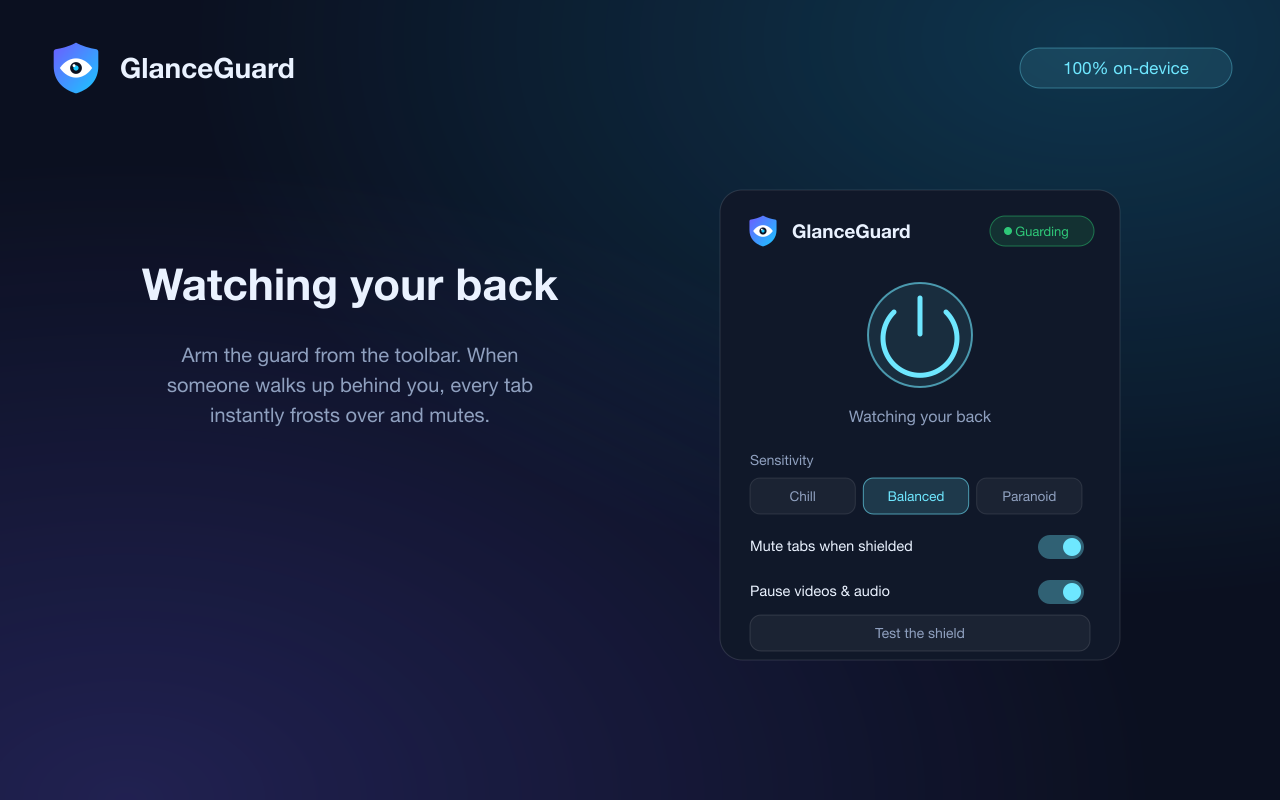
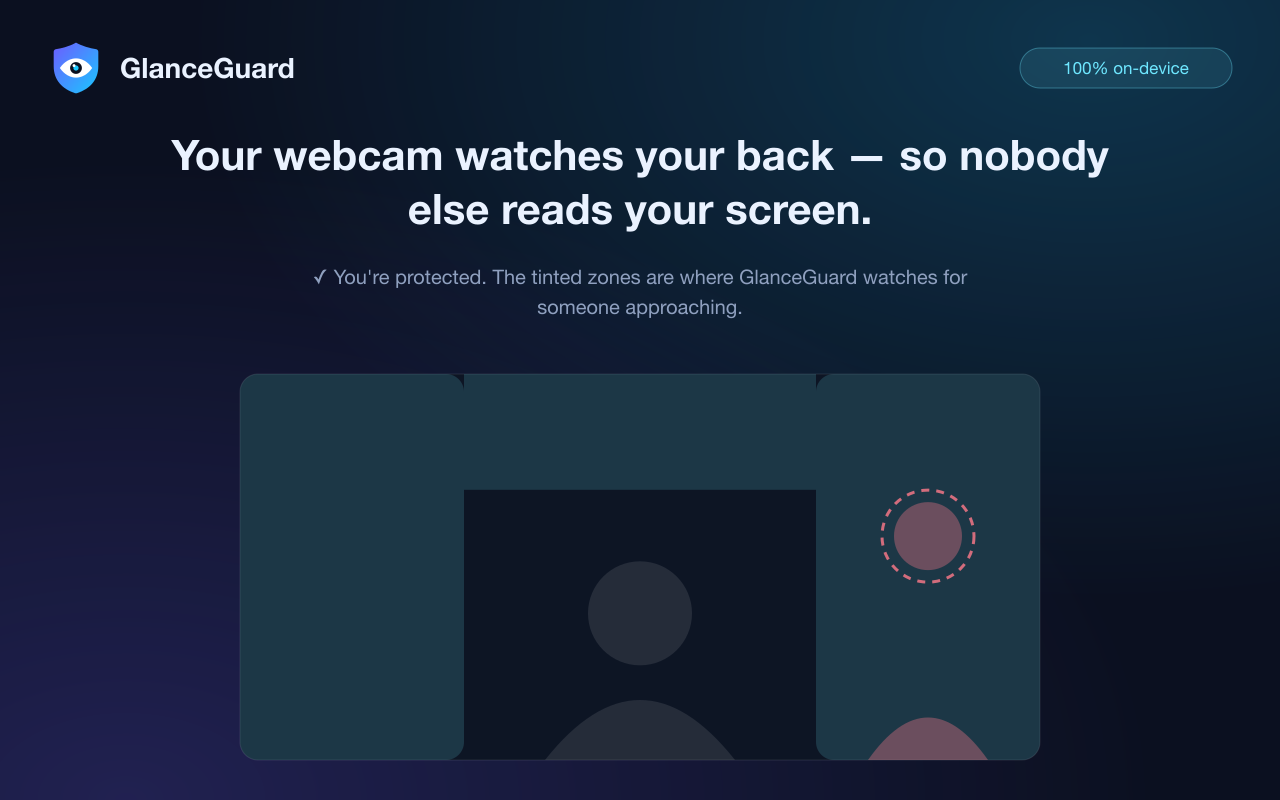
The shield, the popup, and the detection zones — exactly as they look in your language.
Arm it in the morning. Forget it exists.
GlanceGuard watches the edges of your webcam frame — where an approaching person appears — and reacts in about 100 milliseconds.
The camera watches the edges
Detection runs on the peripheral zones of the frame: left, right, and top. You, seated in the center, never trigger it — type, sip coffee, shift in your chair.
Someone leans in
Motion in the peripheral band — or a second face in frame — trips the guard. Even a perfectly motionless intruder is caught where Chrome's face detection is available.
Every tab frosts over
A heavy frosted blur covers all tabs in ~100 ms. Tabs mute, playing media pauses, and the tab title flips to a neutral "New Tab". Discreet — no alarming red banners.
You're back in one click
Click anywhere or press Esc and everything is restored exactly as it was. Tabs you had muted yourself stay muted.
Built for open offices, cafés, trains and planes
Everything you need to stop shoulder surfing and visual hacking — nothing you don't.
Intruder detection
Peripheral-zone motion analysis on a tiny 96×72 grayscale buffer, ~7 frames per second. A slow-adapting baseline means lighting drift never causes a false alarm.
Second-face detection
Where Chrome's native FaceDetector is available, two faces in frame raise the shield instantly — even if the intruder stands perfectly still.
Panic hotkey
⌥⇧Space blurs and unblurs everything manually — it works with the guard off or with no camera at all. ⌥⇧G arms and disarms the guard.
Auto-mute & pause
Tabs are muted and playing video or audio is paused while the shield is up — both optional. Nothing keeps talking while your screen is hidden.
Sensitivity dial
Chill, Balanced, or Paranoid. Paranoid fires on about 0.4 seconds of peripheral motion; Chill waits for a sustained approach.
Discreet by design
A neutral frost, a "New Tab" title, no sirens. The person behind you sees a boring screen — not a warning that they've been caught.
🔒 Provably private — read the source yourself
A camera extension only deserves your trust if privacy is verifiable, not promised. GlanceGuard contains zero networking code — fetch, XHR and WebSocket do not appear once. Frames live for a single comparison and are discarded. The only stored data is your four settings.
Speaks your language — 17 of them
The popup, setup page, and shield overlay follow your browser language automatically, including right-to-left layout for Arabic. This page too — pick yours:
Questions people ask before trusting a camera extension
Fair questions. Here are straight answers.
Does GlanceGuard record or upload my webcam video?
No. Frames are downscaled to a 96×72 grayscale buffer that lives for a single comparison, then discarded. The extension contains zero networking code — no frame is ever stored, uploaded, or shown to anyone, and you can read every line of the source to verify it.
Won't I trigger the shield myself by moving?
No. GlanceGuard only watches the peripheral zones of the frame — left, right, and top — where an approaching person appears. You, seated in the center, are excluded, so typing, sipping coffee, and shifting in your chair are ignored.
What happens when someone approaches?
Every open tab is covered by a heavy frosted blur in about 100 milliseconds, tabs are muted, playing media is paused, and the tab title flips to a neutral "New Tab". Click anywhere or press Esc and you're instantly back.
Does it work without a camera?
The automatic guard needs a webcam, but the panic hotkey ⌥⇧Space blurs and unblurs every tab manually — it works even with the guard off or no camera at all.
Is GlanceGuard free?
Yes. GlanceGuard is completely free, requires no account, and shows no ads.
Which languages does GlanceGuard support?
Seventeen: English, Arabic, Chinese (Simplified), Danish, Dutch, Finnish, French, German, Hindi, Indonesian, Italian, Japanese, Norwegian, Portuguese (Brazil), Russian, Spanish and Swedish. The interface follows your browser language automatically, with right-to-left layout for Arabic.
Your screen is nobody's business.
Arm GlanceGuard once. It does the looking over your shoulder — so you never have to.
Add GlanceGuard to Chrome